
Seeing an Apple charge after you believed you had cancelled a free trial is frustrating.
The amount may not be huge, but that is not the point. You cancelled because you did not want the paid subscription. Then a transaction from Apple appears on your card or bank account anyway.
The first reaction is often:
“Apple ignored my cancellation.”
That is possible, but it is not the only explanation.
The charge could have been authorised before you cancelled. You may have cancelled a different subscription. Another Apple Account may have made the purchase. A family member’s purchase may have used the shared payment method. The app may also have billed you directly instead of using Apple’s payment system.
I went through Apple’s current cancellation, purchase-history and refund instructions to build a clear process for checking each possibility.
This guide does not promise that Apple will issue a refund. Refund decisions depend on the transaction, the reason selected, the country or region and Apple’s review. It will, however, help you find the correct charge, preserve useful proof and submit the request through the correct account.
The fast answer
When an Apple free trial turns into a paid subscription after you believed you cancelled it, do these five things:
- Check whether the charge is pending or completed.
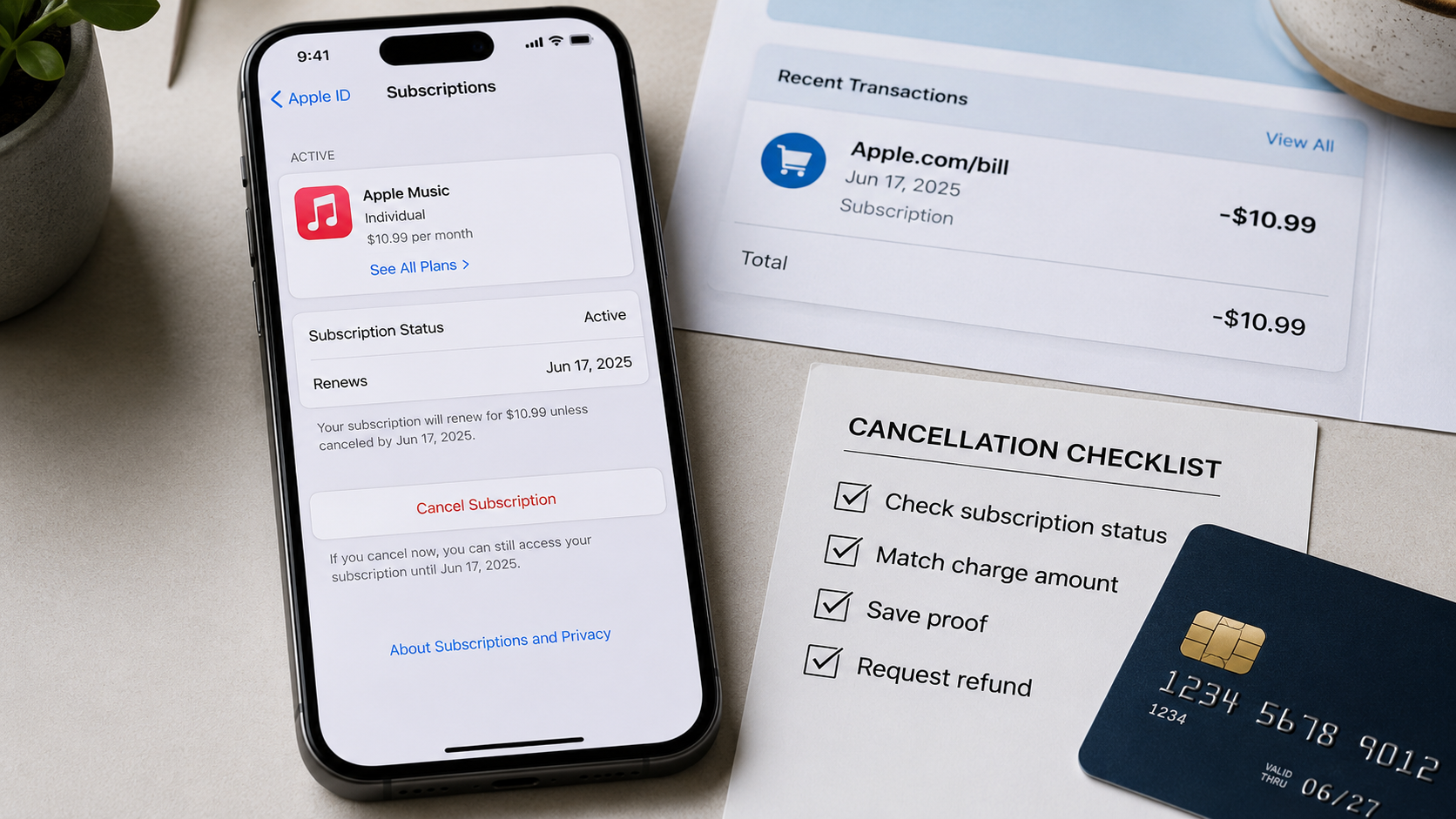
- Open your Apple subscription settings and confirm the subscription status.
- Find the matching purchase in your Apple purchase history.
- Save proof showing when you cancelled and when Apple charged you.
- Submit a refund request through Apple’s official Report a Problem service.
Do not immediately dispute the payment as fraud when you recognise the app or subscription.
A charge can be unwanted without being unauthorised. Start by identifying exactly what happened.
What I checked before requesting a refund
My first step was not contacting the bank.
I started by writing down the basic facts:
- The name shown beside the charge.
- The exact amount.
- The date the transaction appeared.
- Whether it was pending or completed.
- The name of the app or service.
- The date I believed the trial ended.
- The date I believed I cancelled it.
- The Apple Account used when the trial began.
This takes only a few minutes, but it prevents a common problem: asking Apple to investigate a charge without knowing which account or purchase created it.
I also avoided deleting emails, removing the app or changing account details before taking screenshots.
When a billing problem is confusing, proof is easier to save before you start changing things.
Step one: Check whether the Apple charge is pending
Open your banking app and inspect the transaction.
Look for words such as:
- Pending
- Processing
- Authorisation
- Completed
- Posted
- Settled
A pending charge has not necessarily completed.
Apple states that you cannot request a refund while a charge is still pending. After it has been completed, you can try to request a refund through Apple’s refund system.
This distinction matters because people sometimes submit several support requests while the transaction is still moving through the payment system. That creates more confusion without making the charge settle faster.
Take a screenshot showing:
- The transaction amount.
- The transaction date.
- The merchant description.
- Its pending or completed status.
Hide your full card number, account balance and unrelated transactions before sharing the screenshot with anyone.
What if the pending charge disappears?
Some pending authorisations disappear without becoming completed transactions.
If it disappears, check your account again over the following days. Do not assume that a pending entry is a final charge until your bank records it as completed.
What if the charge is completed?
Continue to the subscription settings and purchase-history checks below.
Step two: Confirm that the subscription was actually cancelled
On an iPhone, open:
Settings → your name → Subscriptions
Find the subscription connected to the trial.
Read the status carefully.
You may see wording showing that the subscription:
- Renews on a particular date.
- Expires on a particular date.
- Has already expired.
- Is cancelled but remains available until the end of the paid period.
- Is still active.
Do not rely only on memory or on the fact that you deleted the app.
Deleting an app from your phone does not automatically cancel a subscription connected to that app.
What a successful cancellation normally changes
After cancellation, the subscription should no longer show an upcoming renewal in the same way as an actively renewing subscription.
The exact screen can differ according to the service, device and region. The important detail is whether the account still shows another renewal scheduled.
Save screenshots of:
- The subscription name.
- The status.
- The expiry or renewal date.
- The available subscription options.
- Any confirmation showing that it was cancelled.
What if there is still a Cancel Subscription button?
That normally means the subscription has not yet been cancelled.
Cancel it immediately if you do not want another renewal. Cancelling now will not automatically reverse a charge that has already completed, but it can prevent the subscription from renewing again.
What if there is no Cancel button?
The subscription may already be cancelled or expired.
Check the status and date shown on the screen instead of looking only for the button.
What if the subscription is missing?
Do not conclude that the charge is fake.
The subscription may be connected to:
- Another Apple Account.
- A family member’s Apple Account.
- A work or school account.
- An account created with a different email address.
- Direct billing from the app developer.
- A mobile provider or another third party.
The purchase-history check is the next useful step.
Step three: Compare the cancellation time with the trial deadline
Apple currently advises customers to cancel a free or discounted trial at least twenty-four hours before the trial ends if they do not want it to renew.
This is an important detail.
Many people interpret a trial ending on Friday as meaning they can cancel at any time on Friday. Apple’s guidance tells customers to cancel at least twenty-four hours before the end instead.
That does not mean you should give up when the timing is close. It means the timing should be explained accurately in your refund request.
Write down:
- When the trial began.
- The trial’s displayed end or renewal date.
- When you pressed the cancellation button.
- When you received a cancellation email.
- When the charge was authorised.
- When it became a completed transaction.
A common timing problem
Imagine a trial screen displays a renewal date of 20 July.
A user waits until 20 July and cancels during the afternoon. The payment process may already have started.
The user did cancel, but not before the renewal process began.
That timing can explain why the subscription now says “cancelled” while the card still shows a charge.
The cancellation stopped a future renewal. It did not necessarily reverse the renewal that had already been processed.
This is why the exact dates matter more than saying only, “I cancelled it.”
Step four: Find the purchase in your Apple purchase history
Go to Apple’s official Report a Problem website and sign in with your Apple Account.
You should see purchases associated with that account.
Apple also allows users to search purchase history by the amount when they recognise the price but not the item.
Compare the purchase with:
- The amount on your bank statement.
- The purchase date.
- The subscription or app name.
- The Apple Account used.
- The receipt sent by email.
Search your email receipts
Search your inbox for:
- Receipt from Apple
- Invoice from Apple
- Your receipt from Apple
- Apple subscription
- The exact amount charged
- The name of the app
Check spam, archived messages and any secondary email address connected to an Apple Account.
The receipt can reveal which Apple Account was used for the purchase.
That is valuable when the charge does not appear under the account currently signed in on your phone.
Check every Apple Account you use
Some people have more than one Apple Account without realising how separate the purchase histories are.
For example, one account may be used for iCloud while another older account is still used for media purchases.
If the transaction is missing, sign out of the Report a Problem service and check any other Apple Account you control.
Never ask someone to send you their password. The account owner should sign in personally.
Step five: Check Family Sharing purchases
Family Sharing can make an Apple charge look mysterious.
When Purchase Sharing is active, the family organiser’s payment method can be charged for eligible purchases made by other family members.
The family organiser can use Apple’s purchase tools to inspect family purchases associated with the shared payment method.
Before describing the transaction as unauthorised, ask whether someone in the family:
- Started a trial.
- Bought an app.
- Renewed an existing subscription.
- Made an in-app purchase.
- Used an older device still connected to the family group.
Do not publicly share a child’s name, account details or purchase history.
The aim is simply to identify the purchase.
Step six: Confirm whether Apple processed the payment
Not every subscription used on an iPhone is billed by Apple.
An app can ask you to create an account and pay through its own website. In that situation, Apple may not control the subscription or refund.
Look at:
- The bank-statement merchant name.
- The purchase receipt.
- The app’s account page.
- The subscription listing in Apple settings.
- The payment confirmation email.
When the purchase was made outside Apple’s payment system, Apple directs customers to contact the developer or company that processed the payment.
Signs that the app company billed you directly
These include:
- The charge uses the company’s own name rather than an Apple billing description.
- The subscription does not appear in Apple’s subscription settings.
- The receipt came from the app company.
- The app’s website contains the billing portal.
- Apple purchase history does not show the transaction.
Do not submit repeated Apple refund requests for a payment Apple did not process.
Contact the billing company shown on the receipt or statement.
Step seven: Save your proof before requesting the refund
I recommend creating one folder for the case.
Save copies of:
- The bank transaction.
- The Apple receipt.
- The subscription-status screen.
- The cancellation confirmation.
- The original free-trial offer, when available.
- The renewal date shown during sign-up.
- Relevant communication with the app company.
- Apple’s refund-request confirmation.
- Apple’s final decision.
Use clear filenames such as:
- 01-bank-charge-date
- 02-apple-receipt
- 03-subscription-status
- 04-cancellation-confirmation
- 05-refund-request
This may feel overly organised for one subscription, but it prevents you from losing the strongest evidence when different dates and accounts are involved.
Do not alter screenshots
You can crop or cover sensitive information, but do not change dates, amounts or status wording.
Keep the original files privately.
Edited evidence can weaken your explanation and make the timeline harder to understand.
Step eight: Request the refund from Apple
Use Apple’s official Report a Problem service.
After signing in:
- Choose the option to request a refund.
- Select the reason that accurately describes your situation.
- Choose the subscription or purchase.
- Submit the request.
- Save the confirmation.
Use the Apple Account connected to the purchase.
Apple states that some purchases may be eligible for a refund. This is not a promise that every unwanted renewal will be refunded.
The decision belongs to Apple.
What reason should you select?
Choose the closest truthful option displayed by Apple.
Do not select “I did not authorise this purchase” when you knowingly started the trial but forgot about the renewal.
Do not claim that a child made the purchase unless that is what happened.
A clear, accurate explanation is stronger than an exaggerated one.
A refund message you can adapt
When Apple Support asks for more information, use a short factual message.
I started a free trial for [subscription name]. I cancelled it on [date and time] because I did not want the paid subscription. A charge of [amount] was completed on [date]. My subscription now shows [status]. I have attached the cancellation confirmation and the matching receipt. Please review whether this purchase is eligible for a refund.
When the cancellation happened on or after the renewal date, say so honestly:
I cancelled the subscription on the displayed renewal date, but I did not understand that the renewal could be processed earlier. I have now cancelled the subscription and have not intended to continue using the paid service. Please review whether a refund is available.
Do not write a long emotional complaint before stating the basic facts.
Support agents need to identify:
- The account.
- The purchase.
- The amount.
- The timeline.
- The requested resolution.
What happened during my walkthrough
During my check, the most important discovery was that the subscription screen and the purchase-history screen answer different questions.
The subscription screen tells you what is active now and whether another renewal is scheduled.
The purchase-history screen tells you what Apple billed to that account.
A subscription can show as cancelled now while a recent renewal still appears in purchase history. That is not automatically a contradiction.
It can mean the paid period was processed and the cancellation now applies to the next renewal.
I also found that searching by the exact amount is more useful than scrolling through a long purchase list. A familiar price can identify the purchase even when the bank description is unclear.
The other valuable step was checking the receipt for the Apple Account used. This avoids wasting time searching the wrong account.
This is why I would not begin with a bank dispute. I would begin by connecting the charge, receipt, account and subscription status.
How long does Apple take to review a refund request?
Apple currently tells customers to allow twenty-four to forty-eight hours for an update on a submitted refund request.
That is the review update, not a guarantee that money will appear in your bank account within the same period.
After Apple approves a refund, the time required for it to appear depends on the payment method and financial institution.
Check the request through Apple’s refund-status page rather than submitting duplicates.
How to check the status
Sign in to Apple’s Report a Problem service and choose the option for checking the status of claims.
If no status option appears, Apple states that there may not be a pending refund request under that account.
Check whether you used another Apple Account.
What to do when Apple denies the refund
A denial is disappointing, but it does not mean your next move should automatically be a chargeback.
First, read the decision carefully.
Then check whether:
- You submitted the request from the correct Apple Account.
- You selected the correct transaction.
- Your cancellation proof contains the date.
- The payment was actually processed by Apple.
- The amount matches the receipt.
- Another family member made the purchase.
- You used the paid service after the renewal.
- Local consumer rights give you another formal route.
Contact Apple Support when there is a factual error or important evidence that was not considered.
Explain the error clearly.
For example:
My refund request was denied, but the cancellation confirmation attached to this message shows that the subscription was cancelled on [date]. The matching charge was completed on [date]. Please check whether the cancellation timing and transaction were reviewed correctly.
Do not submit the same request repeatedly without adding useful information.
Should you contact the bank?
Contact your bank promptly when:
- You do not recognise the account or merchant.
- Your payment card may have been compromised.
- Multiple unknown transactions appear.
- Apple confirms that the purchase is not connected to your accounts.
- The bank instructs you to report the transaction.
- You have completed the merchant-resolution process and need to understand your dispute rights.
Explain the situation accurately.
There is a difference between:
- A stolen-card transaction.
- An unauthorised account purchase.
- A forgotten subscription.
- A trial renewed under disclosed terms.
- A cancellation that failed.
- A duplicate or incorrect charge.
The bank will decide which dispute procedure applies.
A chargeback can have consequences for the related account or service, so it should not be used as a casual shortcut around the merchant’s refund process.
Mistakes that make the problem harder
Deleting the app instead of cancelling
Deleting an app removes it from the device. It does not automatically end the associated subscription.
Cancelling the wrong Apple Account
The cancellation must be completed under the account connected to the subscription.
Waiting until the final day
Apple advises cancelling free or discounted trials at least twenty-four hours before they end.
Assuming “cancelled” means “refunded”
Cancellation stops future renewal according to the status shown. It does not automatically refund a completed payment.
Requesting a refund while the transaction is pending
Apple requires customers to wait until the charge has completed before requesting a refund for it.
Calling every unwanted renewal fraud
A renewal can be unwanted while still being linked to a trial you authorised.
Ignoring Family Sharing
A family member’s purchase can appear on the family organiser’s shared payment method.
Contacting Apple for direct developer billing
Apple cannot refund a payment that was processed outside Apple’s billing system.
Continuing to use the subscription heavily
Continued use after requesting a refund can make the situation less clear. It does not create an automatic legal result, but your explanation should accurately describe any use after renewal.
Sending support your full bank statement
Share only the relevant transaction and hide unrelated financial information.
How I now prevent this problem
I no longer rely only on memory when starting a trial.
I use a simple trial record containing:
- The service name.
- The Apple Account used.
- The start date.
- The trial end date.
- The price after the trial.
- The cancellation deadline.
- A reminder several days before renewal.
- A screenshot of the cancellation confirmation.
I also check the subscription screen after cancelling.
The confirmation screen matters more than remembering that I intended to cancel.
My safer free-trial routine
When I start a free trial, I:
- Take a screenshot of the offer.
- Record the regular price.
- Add two calendar reminders.
- Cancel before the final twenty-four hours.
- Save the cancellation confirmation.
- Check the subscription status again.
- Keep the proof until the next bank statement arrives.
This process cannot prevent every billing problem, but it removes uncertainty about dates and account details.
A complete proof checklist
Before contacting Apple, confirm that you have:
- The subscription name.
- The exact amount charged.
- The transaction date.
- The transaction status.
- The merchant description.
- The Apple receipt.
- The Apple Account used.
- The trial start date.
- The displayed renewal date.
- The cancellation date and time.
- A cancellation screenshot or email.
- The current subscription status.
- Any relevant Family Sharing information.
- The refund-request confirmation.
- A copy of Apple’s decision.
You will not have every item in every case. Save what is available and do not invent missing information.
Frequently asked questions
Why did Apple charge me after I cancelled a free trial?
The cancellation may have happened after the renewal process began, the cancellation may apply to the next billing period, or a different account or subscription may have created the charge.
Compare the cancellation time, renewal date, purchase history and receipt.
Can I get a refund after an Apple free trial renews?
Apple allows customers to request refunds for eligible App Store and media purchases. Approval is not guaranteed.
Submit the request through Apple’s official Report a Problem service after the charge is completed.
Does cancelling an Apple subscription automatically refund it?
No.
Cancelling and requesting a refund are separate actions. Cancellation addresses future renewal. A completed purchase requires a separate refund request when eligible.
Does deleting an iPhone app cancel the subscription?
No.
Open the subscription settings connected to your Apple Account and cancel the subscription there when it was purchased through Apple.
Why does the subscription say cancelled when I was still charged?
The paid renewal may have been processed before the cancellation. The status may now show that the subscription will expire instead of renewing again.
Check the exact dates and purchase history.
Can I request a refund while the Apple charge is pending?
Apple states that a refund cannot be requested while the charge is pending. Wait until it is completed, then check whether it can be selected in the refund system.
What if the purchase is not visible in my Apple history?
Check other Apple Accounts, email receipts and Family Sharing purchases.
The transaction may also have been billed directly by the app company.
What does apple.com/bill mean on a statement?
It is a billing description associated with purchases and subscriptions from Apple services.
Use Apple’s purchase-history tools to identify the matching item and account.
What if I used a different email address for the trial?
Sign in with the Apple Account shown on the receipt.
A normal email inbox and an Apple Account are related only when that address was used for the account.
How long does Apple take to review a refund?
Apple currently tells customers to allow twenty-four to forty-eight hours for an update on a refund request.
The time for approved money to return depends on the payment method.
What if Apple refuses the refund?
Review the reason, confirm that you used the correct account and transaction, and contact Apple Support when you have evidence of an error.
Ask your bank about available dispute options when merchant resolution fails or when the transaction was genuinely unauthorised.
Can my bank cancel the Apple subscription?
A bank can explain payment controls and disputes, but cancelling a card does not reliably cancel the contractual subscription.
Cancel through the company or platform that controls the subscription.
Should I cancel the subscription before asking for a refund?
When you no longer want the service, cancel it to prevent another renewal. The refund request for the completed charge is a separate process.
Final advice
Do not panic when you see the charge, but do not ignore it.
Start with the transaction status. Confirm the subscription. Find the receipt. Check the correct Apple Account. Save your proof. Then submit one accurate refund request through the correct channel.
The strongest refund request is not the angriest one.
It is the request with a clear timeline:
- I started the trial on this date.
- I cancelled on this date.
- Apple charged this amount on this date.
- This is the matching receipt.
- This is the current subscription status.
- This is the resolution I am requesting.
That structure gives Apple Support, the app company or your bank the information needed to understand what happened.
Editorial note
This guide is based on a direct walkthrough of Apple’s publicly available subscription, purchase-history and refund tools. It provides general consumer information and does not guarantee a refund or replace legal or financial advice.
Apple can change its screens, policies and available refund reasons. Check the official pages below for the latest instructions applicable to your account and country.
Comments (0)
No published comments yet. Start a useful, respectful discussion.