
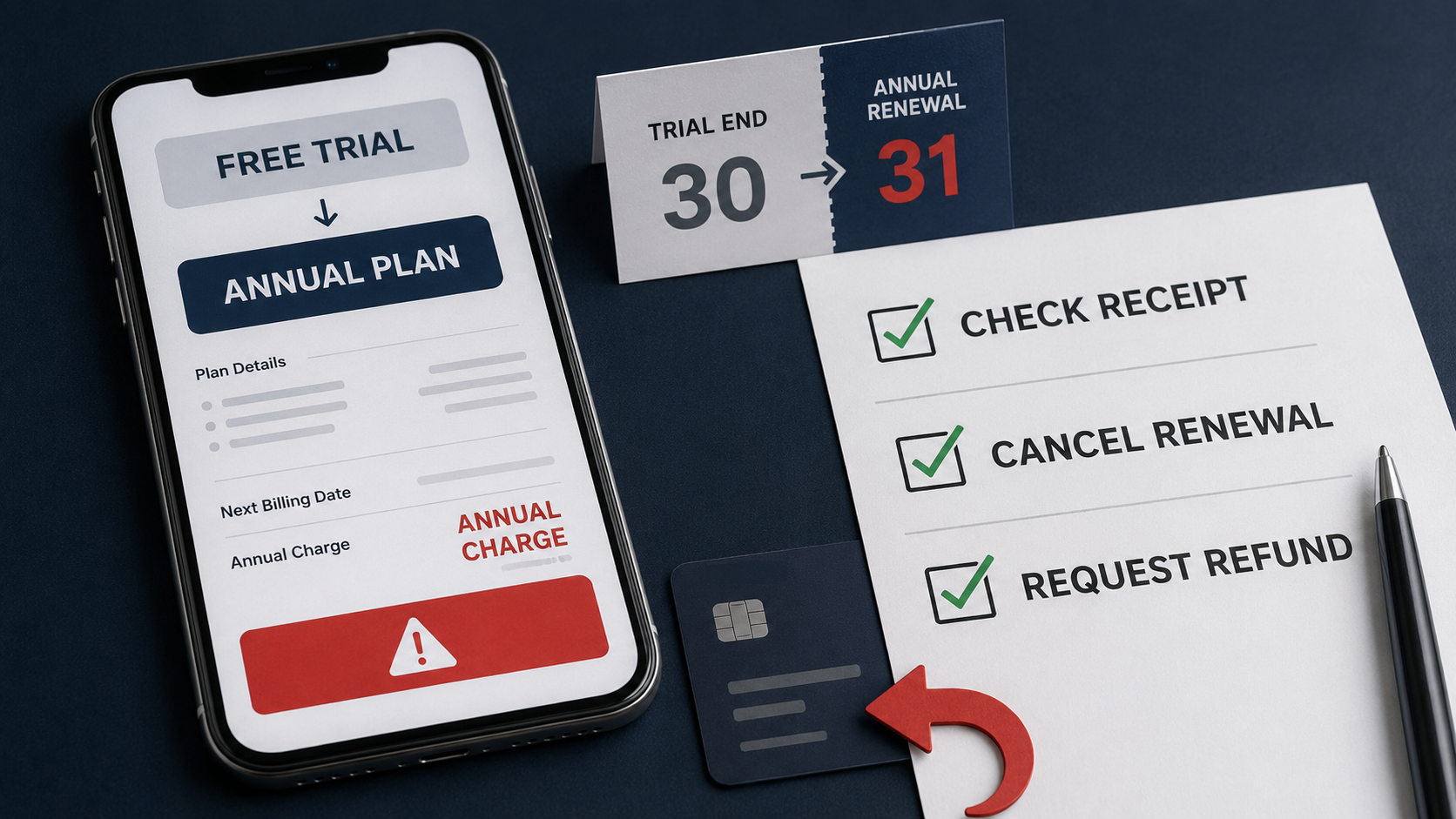
You started a free trial because you wanted to test an app or service. Then you checked your bank account and found a charge for an entire year.
That moment creates immediate panic. You may not know whether you should contact the app developer, Apple, Google Play, PayPal, your bank, or the company whose name appeared on the receipt.
While researching this guide, I checked the current refund and cancellation routes for Apple, Google Play, Microsoft, PayPal and subscriptions purchased directly from merchants. I noticed one important detail across these services:
Cancelling a subscription and requesting a refund are usually two separate actions.
Cancelling normally stops the next renewal. It does not automatically return a payment that has already been completed.
The correct response depends on who processed the payment, whether the charge is pending or completed, whether you cancelled before the deadline, and what the subscription terms stated.
This guide takes you through that process step by step.
Fast answer
If a free trial charged you for a full year, take these steps now:
- Save the receipt and subscription information.
- Check whether the payment is pending or completed.
- Identify who processed the payment.
- Stop the subscription from renewing again.
- Submit a separate refund request through the billing provider.
- Explain exactly when you noticed the charge and whether you used the paid service.
- Save every confirmation, case number and support reply.
- If the request is denied, submit one clear appeal.
- Contact your payment provider only when the merchant route has failed or the charge was genuinely unauthorised, incorrect, or processed after a valid cancellation.
A refund is not automatically guaranteed because you forgot to cancel. Apple states that some purchases may be eligible for a refund, Google says eligibility depends on the purchase details, and Microsoft says not every cancellation produces a refund.
Acting quickly gives the merchant or billing provider a clear record of when you discovered the charge.
Why a free trial can become a full-year charge
A free trial can be attached to a monthly subscription, an annual subscription paid upfront, or an annual commitment paid in monthly instalments.
These arrangements are not the same.
Annual subscription paid upfront
The service charges the full annual price when the trial ends. You receive access for the complete subscription year.
Annual commitment paid monthly
You pay each month, but you have agreed to a contract lasting for the year. Cancelling early can produce a cancellation fee under the merchant’s terms.
Adobe, for example, explains that its annual contract paid monthly can carry an early termination fee after the refund period. Its current terms state that eligible customers cancelling within fourteen days of the initial order receive a full refund. The terms after that period depend on the plan and location.
Monthly subscription
The service bills one month at a time. Cancelling usually stops the next billing cycle, but it does not necessarily refund the current month.
Subscription purchased through an app store
The company providing the app may not control the payment. Apple or Google Play can be the billing provider responsible for handling the refund request.
This is why the receipt matters. The app name alone does not tell you who controls the payment.
Before doing anything, save the evidence
My first step would not be deleting the app or closing the account. I would save the records that explain what happened.
Take screenshots or download copies of:
- The original free-trial offer.
- The price displayed when you accepted the trial.
- The trial’s stated end date.
- The billing frequency.
- The receipt or invoice.
- The transaction shown in your bank or payment account.
- The subscription-management page.
- Any cancellation attempt.
- Any renewal-reminder email.
- Any message showing that cancellation failed.
- Your recent usage history, if the service displays it.
- The merchant’s refund and cancellation terms.
Also record:
- The date you started the trial.
- The date and time you tried to cancel.
- The date the payment was processed.
- The date you first noticed it.
- The account or email address used for the purchase.
- The support case number.
Do this before changing or deleting the account. Closing an account can make receipts, billing settings and usage information harder to retrieve.
Step one: Check whether the charge is pending or completed
A pending charge has not finished processing. A completed charge has been posted to the payment method.
This distinction matters.
Apple states that a pending charge cannot be submitted through its refund-request system. You must wait until you receive the receipt and the transaction is eligible to appear in the refund system.
Do not submit multiple support requests for the same pending transaction. Instead:
- Save a screenshot of the pending charge.
- Cancel the subscription renewal if it remains active.
- Wait for the billing receipt.
- Submit the refund request once the completed purchase becomes available.
A pending charge can disappear, change, or become a completed transaction. Do not assume it has been refunded until the payment provider confirms that outcome.
Step two: Identify who billed you
This is where many refund requests go to the wrong company.
Search your email for words such as:
- Receipt
- Invoice
- Subscription
- Renewal
- Purchase
- Apple
- Google Play
- Microsoft
- PayPal
Then compare the email receipt with the bank-statement description.
If the receipt came from Apple
Apple controls the payment and refund request. The app developer generally cannot directly refund an App Store transaction.
If the receipt came from Google Play
Use Google Play’s refund process. If Google directs you to the developer after the initial period, contact the developer using the order information.
If the receipt came from Microsoft
Use the Microsoft account that purchased the subscription. If Microsoft says the purchase was made through Apple or Google Play, follow the relevant app-store route instead.
If PayPal processed the payment
Check the merchant listed inside the PayPal transaction. Cancelling a PayPal automatic payment can stop future PayPal payments, but a completed payment normally requires a refund from the seller.
If the merchant billed you directly
Contact the merchant through its official billing or support page. Include the invoice number and the account email.
If you cannot find the subscription
Check:
- Every email account you use.
- Other Apple Accounts or Google Accounts.
- Family accounts.
- Work and school accounts.
- PayPal automatic payments.
- The merchant’s own website.
- Purchases made through a mobile carrier or another partner.
Apple specifically advises users who cannot find a subscription to check the receipt and identify which Apple Account was used. If the receipt did not come from Apple, the subscription was likely billed by another company.
Step three: Stop the next renewal
Once you have saved your evidence, stop the subscription from renewing again.
This does not guarantee a refund for the existing payment. It prevents another scheduled renewal.
Apple subscriptions
On an iPhone or iPad:
- Open Settings.
- Tap your name.
- Tap Subscriptions.
- Select the subscription.
- Tap Cancel Subscription.
If there is no cancellation button or the page displays an expiration message, Apple says the subscription is already cancelled.
Apple advises cancelling a free or discounted trial at least twenty-four hours before the trial ends if you do not want it to renew.
Google Play subscriptions
On Android:
- Open Google Play.
- Open your profile.
- Select Payments and subscriptions.
- Select Subscriptions.
- Choose the subscription.
- Tap Cancel subscription.
- Follow the instructions.
Google states that uninstalling an app does not cancel its subscription.
Microsoft subscriptions
- Sign in to the Microsoft account used for the purchase.
- Open Services and subscriptions.
- Find the subscription.
- Select Manage.
- Select Cancel subscription or the available cancellation option.
- Follow the instructions shown for that specific account.
PayPal automatic payments
On the PayPal website:
- Open Settings.
- Select Payments.
- Open Automatic Payments or Subscriptions and saved businesses.
- Select the merchant.
- Cancel the automatic payment.
Also contact the merchant directly. Stopping the PayPal payment method does not automatically settle every contractual issue with the subscription provider.
Direct merchant subscriptions
Use the company’s official account or billing page. After cancelling, save the confirmation page and email.
If the company requires cancellation by email or support ticket, keep a copy showing when the message was sent.
Step four: Request the refund from the correct provider
After stopping the renewal, submit the refund request separately.
How to request an Apple subscription refund
Apple directs customers to its Report a Problem service.
- Visit reportaproblem.apple.com.
- Sign in using the Apple Account that made the purchase.
- Select “I’d like to.”
- Choose “Request a refund.”
- Select the reason that accurately describes the situation.
- Select the subscription.
- Submit the request.
Apple says you should normally receive an update within twenty-four to forty-eight hours. Approval can take longer to reach the original payment method.
If you cannot find the purchase:
- Search for the Apple receipt.
- Check which Apple Account appears on it.
- Check other Apple Accounts.
- Wait if the charge is still pending.
- Contact Apple Support if the transaction cannot be handled through Report a Problem.
Do not send a false explanation. If you accepted the trial but forgot to cancel, say that. If you cancelled before the deadline and were still billed, provide the cancellation evidence.
How to request a Google Play refund
For apps, games, in-app purchases and subscriptions, Google states:
- Within forty-eight hours, you may be able to receive a refund depending on the purchase details.
- After forty-eight hours, Google generally directs you to contact the developer.
To submit a Google Play refund request:
- Visit Google Play in a web browser.
- Select your profile.
- Open Payments and subscriptions.
- Open Budget and order history.
- Find the order.
- Select Report a problem.
- Choose the option that accurately describes the issue.
- Complete the form.
- State that you are requesting a refund.
- Submit it.
Google says refund decisions usually arrive within one day but can take up to four days.
If the order does not appear, check whether another Google Account was used.
How to request a Microsoft subscription refund
Microsoft requires customers to cancel the subscription first so that its system can check refund eligibility.
- Sign in to the Microsoft account used for the purchase.
- Open Services and subscriptions.
- Find the subscription.
- Select Manage.
- Select Cancel.
- Complete the cancellation flow.
- Review the refund information displayed for the account.
Microsoft states that not every cancellation results in a refund.
If you purchased the Microsoft subscription through Apple or Google Play, Microsoft directs you to the relevant app store for cancellation and refund support.
How to request a refund for a PayPal payment
PayPal says a completed payment normally requires you to contact the seller.
- Sign in to PayPal.
- Open Activity.
- Select the completed payment.
- Find the seller’s contact information.
- Contact the seller and request the refund.
- Keep a copy of the message.
If the matter is not resolved and the transaction qualifies for PayPal’s dispute process, review the available options in the Resolution Center. Do not describe an authorised subscription renewal as an unauthorised account takeover.
Cancelling the automatic payment and requesting the completed-payment refund are separate actions.
How to request a refund from a direct merchant
Use the merchant’s official billing or support channel.
Your first message should be short, factual and complete. Include:
- Your account email.
- The invoice or order number.
- The date of the annual charge.
- The date you noticed it.
- The trial end date.
- Whether you used the paid service after the charge.
- The date you cancelled.
- A clear request for cancellation and refund.
Avoid sending several messages through different channels on the same day. That can create duplicate cases and disconnected replies.
Copy-ready first refund request
Subject: Refund request for annual charge after free trial
Hello,
I am requesting a refund for the annual subscription charged to my account after a free trial.
Account email: [your account email]
Order or invoice number: [order number]
Charge date: [date]
Cancellation date: [date]
I noticed the annual charge on [date] and cancelled the subscription as soon as I found it. I did not intend to continue with the annual subscription.
I have attached the receipt, subscription details and cancellation confirmation. I have also avoided using the paid service since discovering the charge.
Please cancel the renewal and review the most recent annual payment for a refund. Please confirm the decision in writing.
Thank you.
If you cancelled before the deadline but were still charged
This is different from forgetting to cancel.
Your request should focus on the evidence showing that you acted before the deadline.
Include:
- The cancellation confirmation.
- The timestamp.
- Any support ticket.
- A screenshot showing the subscription was cancelled.
- The trial end date.
- The payment date.
- Messages showing that the company acknowledged your cancellation.
Use this message:
Subject: Charged after confirmed cancellation
Hello,
I was charged for an annual subscription even though I cancelled before the trial deadline.
Account email: [your account email]
Order or invoice number: [order number]
Cancellation date and time: [date and time]
Trial end date: [date]
Charge date: [date]
I have attached the cancellation confirmation and the billing record. Please investigate why the payment was processed after my cancellation and return the charge to the original payment method.
Please also confirm that no additional payments are scheduled.
Thank you.
If you were charged before the trial was supposed to end
Check whether:
- You had previously used the same trial.
- You selected a different plan.
- The offer required immediate payment.
- The trial was limited to new customers.
- Another account had already used the offer.
- The transaction is an authorisation hold rather than a settled payment.
- The displayed trial end date differs by time zone.
Do not assume the reason. Save the offer and ask the billing provider to explain which term triggered the payment.
Use this message:
Subject: Charge processed before displayed trial end date
Hello,
I accepted a trial that displayed an end date of [date]. My payment method was charged on [date].
Please confirm why the charge was processed before the displayed trial end date. I have attached the trial offer, the stated end date and the transaction record.
If the payment was processed incorrectly, please cancel the subscription and return the charge to the original payment method.
Thank you.
What real public experiences reveal
The experiences below are user reports posted publicly. They show common problems but do not prove that every claim was independently verified or that every refund request succeeded.
The Apple app trial that became a yearly charge
An Apple Support Community user described a seven-day app trial that converted into a yearly charge. The person said they immediately cancelled and filed a refund request, then asked whether they qualified.
The reported outcome was not established in the public question. The useful lesson is that cancelling the subscription and filing the Apple refund request were separate actions.
Read the Apple Support Community report
The Microsoft trial followed by an annual payment
In a Microsoft community question published in January 2026, a user reported seeking a Microsoft 365 trial and then finding an annual charge of £84.99.
Again, a community answer does not guarantee the user’s final outcome. The experience demonstrates why the purchasing account, billing route and cancellation screen need to be checked immediately.
Read the Microsoft community report
The Adobe trial attached to an annual commitment
An Adobe Community user described starting a seven-day trial connected to an annual plan paid monthly and forgetting to cancel before the trial ended.
This is an important distinction. “Paid monthly” does not always mean a month-to-month contract. It can describe how payments are collected for an annual commitment.
Read the Adobe Community report
When I compared these reports, the recurring problem was not simply forgetting a date. People also misunderstood who billed them, whether the plan was monthly or annual, and whether cancelling would automatically produce a refund.
That is why I would always begin with the receipt and subscription terms.
What proof strengthens a refund request?
No document guarantees approval, but a complete record helps the reviewer understand the situation.
Save these items:
- Original free-trial advertisement.
- Checkout page.
- Trial duration.
- Annual price.
- Billing frequency.
- Renewal date.
- Receipt.
- Bank or payment record.
- Cancellation confirmation.
- Support messages.
- Error messages.
- Evidence that you attempted to cancel.
- Evidence showing limited or no use after the payment.
- Refund policy that applied on the purchase date.
Put the files in chronological order. A clear timeline is easier to review than a long emotional explanation.
What should I do if the refund is denied?
Read the denial carefully before sending another message.
Look for:
- The specific policy used.
- Whether the request went to the correct billing provider.
- Whether information was missing.
- Whether the charge was still pending.
- Whether the wrong account was used.
- Whether the reviewer treated the case as a normal cancellation instead of a billing error.
- Whether an appeal or support-contact option is available.
Then submit one focused appeal.
Copy-ready refund appeal
Subject: Request for review of denied subscription refund
Hello,
I am requesting a review of the decision concerning the annual subscription charged after my free trial.
Account email: [your account email]
Order or invoice number: [order number]
Charge date: [date]
Original refund request date: [date]
Case number: [case number]
I cancelled the subscription on [date]. I discovered the charge on [date] and submitted the refund request promptly.
I have attached the receipt, cancellation confirmation, trial information and relevant support messages. Please review these records and confirm which refund-policy provision applies to this transaction.
If the refund remains denied, please provide the reason in writing and confirm that the subscription will not renew again.
Thank you.
When should you contact your bank or card provider?
A card dispute is not a replacement for an ordinary refund request.
Start with the merchant or billing provider when:
- You accepted the trial.
- The trial terms disclosed the renewal.
- You simply forgot to cancel.
- You recognise the company.
- You have not yet requested a refund.
Contact your payment provider when:
- You never agreed to the subscription.
- The amount was different from the authorised amount.
- You cancelled correctly but the company continued charging.
- The merchant processed duplicate charges.
- The billing provider cannot identify the transaction.
- The merchant refuses to address a documented billing error.
- Your account or payment information was used without permission.
The US Federal Trade Commission advises consumers whose subscription keeps charging after they tried to cancel to dispute the payment with the credit or debit card issuer.
For US cardholders, the FTC states that billing errors should be reported within sixty days after the first statement containing the error was sent. Rules and deadlines differ by country, payment type and bank, so contact the issuer immediately.
Do not tell the bank that a charge was unauthorised if you knowingly accepted a trial that clearly disclosed automatic renewal. Explain the facts accurately and provide the trial terms, cancellation records and merchant correspondence.
How to stop automatic payments from a bank account
For US bank accounts, the Consumer Financial Protection Bureau recommends:
- Contact the company and withdraw permission for automatic payments.
- Follow up in writing.
- Contact the bank or credit union.
- Ask about stopping future automatic payments.
- Monitor the account for additional transactions.
Stopping the payment method does not necessarily cancel the underlying contract. Cancel the subscription with the merchant as well.
Customers outside the United States should ask their bank about the rules that apply to their payment method and location.
Does the new UK fourteen-day subscription refund rule apply now?
No.
As of July 2026, the new UK renewal cooling-off regime is not yet in force.
The UK government anticipates that the subscription-contract regime will begin in spring 2027. Under the planned rules, covered consumers will have fourteen days after a trial converts to a paid subscription, or after a contract renews for twelve months or longer, to cancel and receive a full or proportionate refund.
This planned post-trial renewal right should not be presented as a current automatic entitlement.
Existing UK consumer rights can still apply depending on how the subscription was sold, what information was provided, the type of service and when the contract began. However, the new general renewal cooling-off protection is expected to commence in spring 2027.
Until then:
- Check the merchant’s current terms.
- Cancel the renewal.
- Request the refund promptly.
- Save evidence of unclear or inaccurate information.
- Contact Citizens Advice or the appropriate consumer service for individual guidance.
Common mistakes that can damage or delay a refund request
Deleting the app instead of cancelling
Uninstalling an app does not cancel a Google Play subscription. Other subscriptions can also continue after the app is removed.
Deleting the account before saving evidence
This can remove access to receipts, plan details, usage records and cancellation settings.
Contacting the developer when Apple billed you
If Apple processed the payment, use Apple’s refund system. The developer may not control the transaction.
Contacting Microsoft for an App Store purchase
Microsoft directs customers who purchased through Apple or Google Play to the relevant app store.
Assuming cancellation automatically requests a refund
The cancellation normally concerns future billing. Submit the separate refund request.
Cancelling a PayPal automatic payment but not contacting the merchant
This can stop PayPal from making future payments while leaving the merchant account or contract unresolved.
Using the service heavily after requesting a refund
Continued use can conflict with the explanation that the annual subscription was unwanted. Stop using the paid benefits while the request is reviewed when practical.
Sending several different explanations
Keep one accurate timeline. Contradictory messages make the case difficult to review.
Calling an accepted trial “fraud”
If you knowingly entered the trial, describe what actually went wrong: the renewal was overlooked, the plan was misunderstood, the charge occurred after cancellation, or the billing terms were unclear.
Waiting for the next statement
Refund and dispute deadlines exist. Act when you discover the charge.
A simple timeline to include in your request
Use this format:
- Trial started: [date]
- Trial was due to end: [date]
- Cancellation attempted: [date and time]
- Annual payment processed: [date]
- Charge discovered: [date]
- Subscription cancelled: [date]
- Refund requested: [date]
- Merchant reply received: [date]
- Appeal submitted: [date]
This is more useful than a long paragraph with dates scattered throughout it.
Refund request checklist
Before submitting, confirm that you have:
- Identified the billing provider.
- Saved the original trial offer.
- Saved the receipt.
- Checked whether the charge is pending.
- Cancelled the future renewal.
- Used the correct refund form.
- Included the order number.
- Included the relevant dates.
- Explained the situation accurately.
- Saved the submission confirmation.
- Recorded the case number.
- Checked the response deadline.
- Avoided using the paid service after discovering the charge.
Frequently asked questions
Can I get a refund if I forgot to cancel a free trial?
You can request one, but forgetting to cancel does not create an automatic refund on every platform. Approval depends on the billing provider, merchant policy, purchase details and applicable consumer law.
Does cancelling a subscription refund the latest payment?
Not automatically. Cancelling generally stops future renewal. Apple, Google Play, Microsoft, PayPal and direct merchants use separate refund processes or eligibility checks.
Should I cancel before asking for a refund?
Save your evidence first, then stop the renewal and submit the refund request. Microsoft specifically requires customers to cancel before its system checks refund eligibility.
What if the Apple charge is still pending?
Apple states that pending charges cannot be submitted for a refund. Wait until the transaction completes and a receipt is available.
How long does an Apple refund decision take?
Apple says an update normally arrives within twenty-four to forty-eight hours after the request. Returning approved funds to the original payment method can take additional time.
How long does a Google Play refund decision take?
Google says the decision usually arrives within one day but can take up to four days.
Can the app developer refund an Apple payment?
App Store payments are handled through Apple’s systems. Submit the request through Apple unless Apple Support gives different instructions for the transaction.
What if Google Play says to contact the developer?
Send the developer the Google Play order information, charge date and account email. Explain that Google directed you to contact the developer after reviewing the purchase.
What if I cannot find the subscription?
Check other accounts, receipts, family accounts, PayPal automatic payments and direct merchant accounts. The bank-statement name may differ from the product name.
Does deleting an app cancel the free trial?
No. Google explicitly states that uninstalling an app does not cancel the subscription. Use the subscription-management page.
Can I dispute the charge with my bank?
Contact the merchant first when you accepted the trial and simply forgot to cancel. Contact the bank promptly when the charge was genuinely unauthorised, incorrect, duplicated, processed after cancellation, or left unresolved after a documented billing complaint.
Is an unwanted renewal automatically fraud?
No. A renewal can still be authorised if you accepted clearly disclosed automatic-renewal terms. Fraud or unauthorised-payment reports should only be used when the facts support them.
Does the UK’s new fourteen-day refund rule apply in 2026?
No. The UK government anticipates that the new subscription regime will commence in spring 2027.
Will not using the subscription guarantee a refund?
No. Lack of use can support your explanation, but it does not override the billing provider’s policy or guarantee approval.
Final advice
The strongest refund request is not the most emotional one. It is the one with the clearest evidence.
Start with the receipt. Identify who processed the payment. Save the trial terms. Stop the renewal. Submit the correct refund request and keep every response.
Most importantly, separate these two questions:
How do I stop the subscription?
How do I request the money back?
They are connected, but they are not the same process.
This guide provides general consumer information and does not replace legal or financial advice. Refund eligibility and consumer rights depend on the provider, payment method, location and circumstances.
Comments (0)
No published comments yet. Start a useful, respectful discussion.