
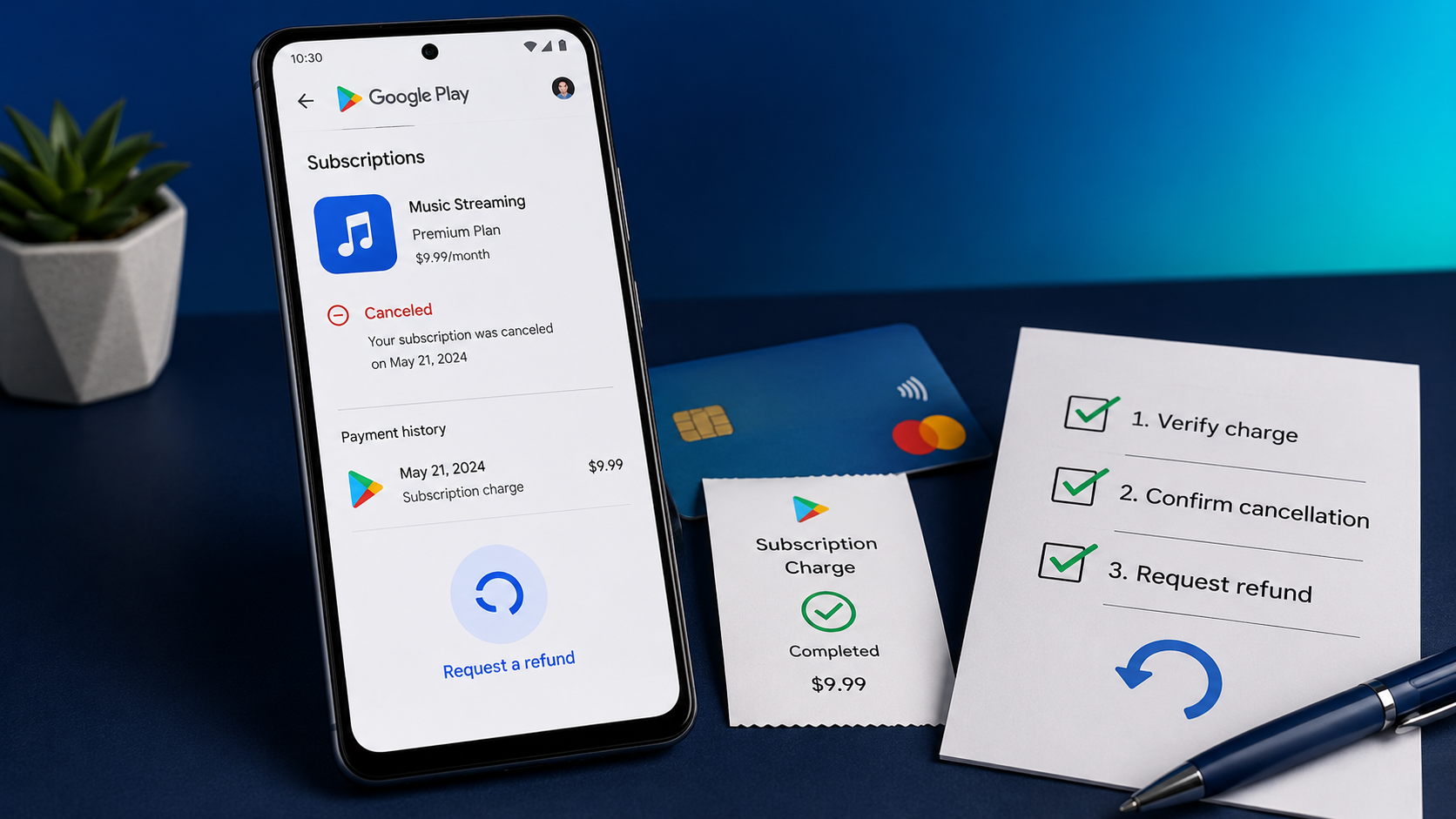
If you canceled a Google Play free trial and a charge still appeared, do not begin by sending angry messages to every company name you can find. Start by answering three questions: Who processed the payment? When did the cancellation take effect? Is the transaction pending or completed?
Those details determine where your refund request should go.
My approach with a charge like this is simple: preserve the evidence first, then use the official refund route that matches the transaction. A screenshot of the cancellation status, the confirmation email, the payment date and the Google Play transaction number can be more useful than a long complaint without dates.
This guide explains the process without promising an outcome. Google reviews refund requests, and approval is not automatic.
Fast answer: Open Google Play and check Payments & subscriptions, then compare the subscription status with the charge date. If Google Play processed the payment, use Google's official refund request. Google says purchases made within forty-eight hours may qualify depending on the details. After forty-eight hours, Google directs customers to contact the app developer. Canceling the subscription prevents the next renewal, but it does not automatically reverse a payment that has already been processed.
First, make sure this is a Google Play charge
A subscription used on an Android phone is not necessarily billed by Google Play. Some services sell subscriptions through their own websites, PayPal or another payment processor. Canceling inside Google Play will not affect a subscription purchased somewhere else.
Check all three places below before requesting a refund:
- Your bank or card statement. Write down the exact billing description, amount and date.
- Google Play order history. In the Play Store, open your profile, select Payments & subscriptions, then Budget & history.
- Your email receipts. Search every email account you use for the app name, “Google Play,” “subscription,” “trial,” “receipt” and the amount charged.
Google says you can also review purchases through payments.google.com. If the transaction appears in Google Play or Google Payments, keep the order or transaction number shown with it.
If the transaction does not appear, switch to any other Google accounts used on the device and check again. Many confusing subscription cases begin with the correct subscription being attached to a different email address.
If you still cannot find it, use the exact statement description to identify the billing route. The CancelWise guide to Apple, Google Play, PayPal and merchant billing routes can help you avoid contacting the wrong company.
Check whether the charge is pending or completed
A pending transaction and a completed charge are not the same thing.
Google explains that an authorization hold can be placed on a payment method before a subscription renews. A hold temporarily reserves money, but it can disappear if the payment is not completed. Your bank may label it pending, processing, authorization or temporary hold.
Do not assume that every pending amount needs a refund. Check both your bank and Google Payments:
- If Google Payments shows the order as canceled and the bank transaction is pending, monitor it until the bank releases or completes it.
- If Google Payments shows a completed purchase, treat it as a posted charge and continue with the refund steps below.
- If your bank shows a completed charge but Google has no matching order, check your other Google accounts and the statement descriptor before reporting it.
Take a screenshot while the status is visible. Pending transactions can change, and the screenshot gives you a record of what you saw and when.
Confirm exactly when the free trial was canceled
Open the Google Play subscription page and select the relevant app. Look for the cancellation status, the trial end date and any date showing when access ends.
Then find the cancellation email. Do not rely only on memory. The email timestamp is useful evidence because “I canceled before the trial ended” and “I canceled immediately after the renewal” lead to different refund arguments.
Also remember these distinctions:
- Deleting an app does not cancel its subscription. The subscription must be canceled through the billing service that manages it.
- Canceling a subscription is not a refund request. Cancellation stops a future renewal; a separate request is needed for money already charged.
- Canceling after the paid period begins normally leaves access active until that period ends. It does not by itself return the payment.
- A trial purchased directly from the developer is not controlled by Google Play. Use the receipt to identify the actual seller.
If you are certain you canceled in Google Play before the displayed trial deadline, save the screen and email showing that date. That is the clearest evidence to place at the start of your refund explanation.
Build a small proof folder before contacting support
You do not need a complicated legal file. You need a clean timeline that another person can understand quickly.
Save the following:
- The app and subscription name
- The Google account used for the purchase
- The free-trial start and end dates
- The cancellation confirmation and timestamp
- The date and amount of the charge
- The exact card-statement description
- The Google Play order or transaction number
- A screenshot of the subscription status
- A screenshot showing whether the payment is pending or completed
- Any previous response from Google or the developer
Keep full screenshots for your records, but remove unrelated personal information before sending an attachment. Never publish your full transaction number, card number, address or account details in a public forum.
This is the part I would not skip. A refund request that says “I was charged unfairly” forces the reviewer to reconstruct the case. A request that gives the trial deadline, cancellation timestamp, charge date and transaction number presents a checkable sequence.
How to request a Google Play refund
Use Google's official Google Play refund request. Sign in with the Google account that made the purchase, select the transaction and follow the instructions.
Google's policy separates requests by timing:
- Within forty-eight hours of the purchase: Google says you may be able to obtain a refund depending on the purchase details.
- After forty-eight hours: Google directs you to contact the app developer. The developer can investigate the purchase and process a refund under its own policies and applicable law.
This does not mean every request made during the first forty-eight hours will be approved. It means that the Google Play request is the correct first route during that period.
Keep the explanation short and factual. You can adapt this wording:
I started a free trial for [app name] through Google Play. The trial was scheduled to end on [date]. I canceled it on [date and time], and my account showed the subscription as canceled. A charge of [amount] was completed on [date]. The Google Play transaction number is [transaction number]. I am requesting a refund because the cancellation was completed before the trial deadline. I have the cancellation confirmation and charge record available.
Only say you canceled before the deadline if your evidence confirms it. If you forgot to cancel, say that honestly and request consideration. The separate CancelWise guide Forgot to Cancel a Free Trial? Do These Four Things Now covers that situation.
What to do after forty-eight hours
If more than forty-eight hours have passed, find the app's listing on Google Play, open App support, and use the developer's published contact information.
Google recommends including the transaction number, purchase date, amount, reason for the request and the outcome you want. Its guidance says customers should expect a response from a developer about a purchase problem within three business days.
Use a subject line that makes the request easy to route:
Refund request — Google Play free trial charged after cancellation
Then send a compact message:
Hello,I purchased the [subscription name] free trial through Google Play using [Google account email]. The trial was due to end on [date], and I canceled it on [date and time]. A charge of [amount] was completed on [date].Google Play transaction number: [transaction number]I am requesting a refund. I have attached the cancellation confirmation and payment record. Please confirm whether you can process the refund or tell me what additional information you require.Thank you.
Do not send your card number or account password. The transaction number and the account email should be enough to identify the purchase.
How to check a Google Play refund decision
Google provides a refund-status page. Google says a decision usually takes one to four days, although many decisions arrive sooner.
There are two separate waiting periods:
- Waiting for the decision. Google or the developer determines whether the request is approved.
- Waiting for the money. After approval, the payment provider processes the return.
Do not count the refund as missing while the request is still under review. First confirm that the status says approved or refunded.
Approved refund but no money received
Google returns an approved refund to the payment method used for the original purchase. The timing depends on that method.
According to Google's current refund timeline:
- Credit and debit card refunds generally take three to five business days and can take up to ten business days.
- PayPal refunds generally take three to five business days and can take up to ten business days.
- Google Play balance refunds generally take one business day and can occasionally take up to three business days.
- Mobile-carrier billing can take longer, including up to two monthly statements for some postpaid accounts.
Google also distinguishes between Refunded and Canceled in Google Payments. “Refunded” means you should look for a credit on the original payment method. “Canceled” can mean the order was never charged, so there will be no separate refund credit.
If the published period has passed:
- Check the refund status again.
- Check the original payment method, not only your Google Play balance.
- Search the statement for a credit matching the original amount.
- Contact the card issuer, bank, PayPal or mobile carrier with the refund confirmation.
- Ask the payment provider to trace the returned payment.
If the card used for the purchase has been closed, Google's guidance says the refund still goes to the bank that issued it. Contact that bank to recover the funds.
If Google Play denies the refund
A denial does not prove that the charge was correct. It means the first request was not approved under the route and information used.
Before escalating, inspect the response and your records:
- Was the request submitted from the account that made the purchase?
- Did you provide the correct transaction number?
- Does your proof show cancellation before the trial deadline?
- Was the charge made through Google Play or directly by the developer?
- Has the developer reviewed the request?
- Did you describe a recognized purchase as unauthorized by mistake?
If the developer controls the transaction, ask for its refund policy and a written decision. If Google Play controls it, use Google's official support options and keep the case number.
When the seller refuses a refund and you believe the payment was processed incorrectly, ask your card issuer or payment provider what dispute rights and deadlines apply to your account. Describe the transaction accurately. A billing dispute is different from reporting fraud.
Do not call a charge unauthorized if you knowingly started the trial. Use the unauthorized-charge route only when neither you nor someone you authorized made the purchase. Google has a separate process to report unrecognized charges, and it says qualifying unauthorized card or PayPal charges should be reported within one hundred twenty days.
Read How Chargebacks Work and When to Use Them before contacting the bank. A chargeback should be the final escalation after you have identified the merchant, saved your evidence and used the appropriate refund channel.
What if the charge is not in your Google Play history?
Do not immediately conclude that Google lost the order. Work through this sequence:
- Switch between every Google account connected to the device.
- Check Google Payments as well as the Play Store history.
- Search all email inboxes for a receipt.
- Compare the statement descriptor with Google's recognized billing formats.
- Check whether the subscription was purchased from the app's website.
- Ask anyone authorized to use the payment method whether they recognize it.
If you recognize the service but not the billing route, contact the service with the charge date and amount. Do not email full card details.
For a transaction that remains unidentified, follow the unknown-charge checklist before disputing it.
Common mistakes that weaken a refund request
Treating an app deletion as cancellation
Removing an app from a phone does not end the subscription. Always verify the status in the billing account.
Checking only one Google account
The subscription can be attached to an older or secondary account. Check every account used on the device.
Assuming cancellation automatically returns the money
Cancellation and refund are separate actions. Submit the refund request even if the subscription now says canceled.
Writing a long complaint without dates
Lead with the trial deadline, cancellation time, charge date, amount and transaction number. These facts let the reviewer verify what happened.
Contacting Google for a direct merchant subscription
The receipt decides who controls the payment. If the developer billed you directly, Google Play cannot refund that transaction.
Reporting a recognized trial as fraud
If you started the trial, the dispute concerns cancellation or renewal. Calling it an unauthorized purchase creates a different claim and can slow the investigation.
Sending sensitive information
Support does not need your password or full card number. Keep those details private.
My honest view
The most frustrating part of a free-trial charge is that the word canceled feels final. In billing systems, it can mean only that the next renewal has been stopped. That is why I would never rely on that one word alone.
I would compare the cancellation timestamp with the trial deadline, confirm whether the charge is pending or completed, and identify the company that actually processed it. Then I would send one organized request with proof.
That process is less dramatic than immediately threatening a chargeback, but it creates a clean record. If escalation becomes necessary, the bank or payment provider can see exactly what you canceled, when you canceled it and how the merchant responded.
Frequently asked questions
Can Google Play charge me after I cancel a free trial?
A completed charge can still appear when the cancellation was not finished, the wrong billing account was checked, the renewal had already been processed, or the subscription was purchased through another provider. Google can also place an authorization hold before renewal, so first check whether the bank transaction is pending or completed.
Does canceling a Google Play subscription automatically refund me?
No. Canceling stops future renewal. You must separately request a refund for a payment that has already been completed.
Can I get a refund if I canceled before the trial ended?
Submit the cancellation confirmation, trial deadline, charge date and transaction number through the correct refund route. Google reviews requests made within forty-eight hours based on the purchase details. Approval is not guaranteed. After forty-eight hours, contact the app developer.
Can I get a refund if I forgot to cancel?
You can request one, but neither Google nor the developer guarantees approval. Be honest about what happened, submit the request promptly and avoid using paid features after discovering the charge when possible.
How long does Google Play take to decide?
Google says refund decisions typically take one to four days.
How long does the money take after approval?
The timing depends on the original payment method. Google says card and PayPal refunds generally take three to five business days and can take up to ten. Other methods have different timelines.
Why does Google Payments say “Canceled” but I received no refund?
Google says a canceled order may never have been charged. If no payment was completed, there is no separate refund credit. Compare the Google Payments status with your final bank statement.
What if I used a card that is now closed?
Google says the refund goes to the bank that issued the original card. Contact that bank with the refund confirmation.
What if the app developer ignores me?
Keep the message and date you contacted the developer. Google's support guidance says customers should expect a response about a purchase issue within three business days. After that period, follow up and contact Google Play support with the transaction details and your communication record.
Should I dispute the charge with my bank?
Use the correct Google or developer refund route first when you recognize the purchase. If the issue remains unresolved, ask your card issuer or payment provider about its dispute process and deadlines. Describe the charge accurately and provide your cancellation and refund records.
Is this the same as an unauthorized Google Play charge?
No. A trial you knowingly started is a cancellation or renewal dispute. An unauthorized charge is a purchase that neither you nor someone you authorized made.
Final checklist
Before closing the case, confirm that you have:
- Identified the real billing provider
- Checked every relevant Google account
- Determined whether the transaction is pending or completed
- Saved the cancellation confirmation and trial deadline
- Recorded the amount, date and Google Play transaction number
- Submitted the request through Google or the developer
- Checked the refund decision separately from the payment timeline
- Kept every response and case number
The goal is not simply to prove that the subscription now says canceled. The goal is to show a complete, accurate timeline from trial enrollment to cancellation, charge and refund request.
This article provides general consumer information and does not guarantee a refund or replace legal or financial advice. Refund eligibility, processing and dispute rights depend on the transaction, payment method, country and provider.
Official sources
- Cancel, pause or change a subscription on Google Play
- Request a refund on Google Play
- Google Play refund policy for apps, games and subscriptions
- Check the status of a Google Play refund request
- Refund timelines for Google Play purchases
- Review your Google Play order history
- Contact an Android app developer
- Report Google Play charges you do not recognize
Comments (0)
No published comments yet. Start a useful, respectful discussion.