
First: do not make the problem harder
You notice the charge, remember the trial, and feel foolish. That reaction is normal. It is also the moment when people delete the app, close the account, or send an angry message - and accidentally lose the evidence they need.
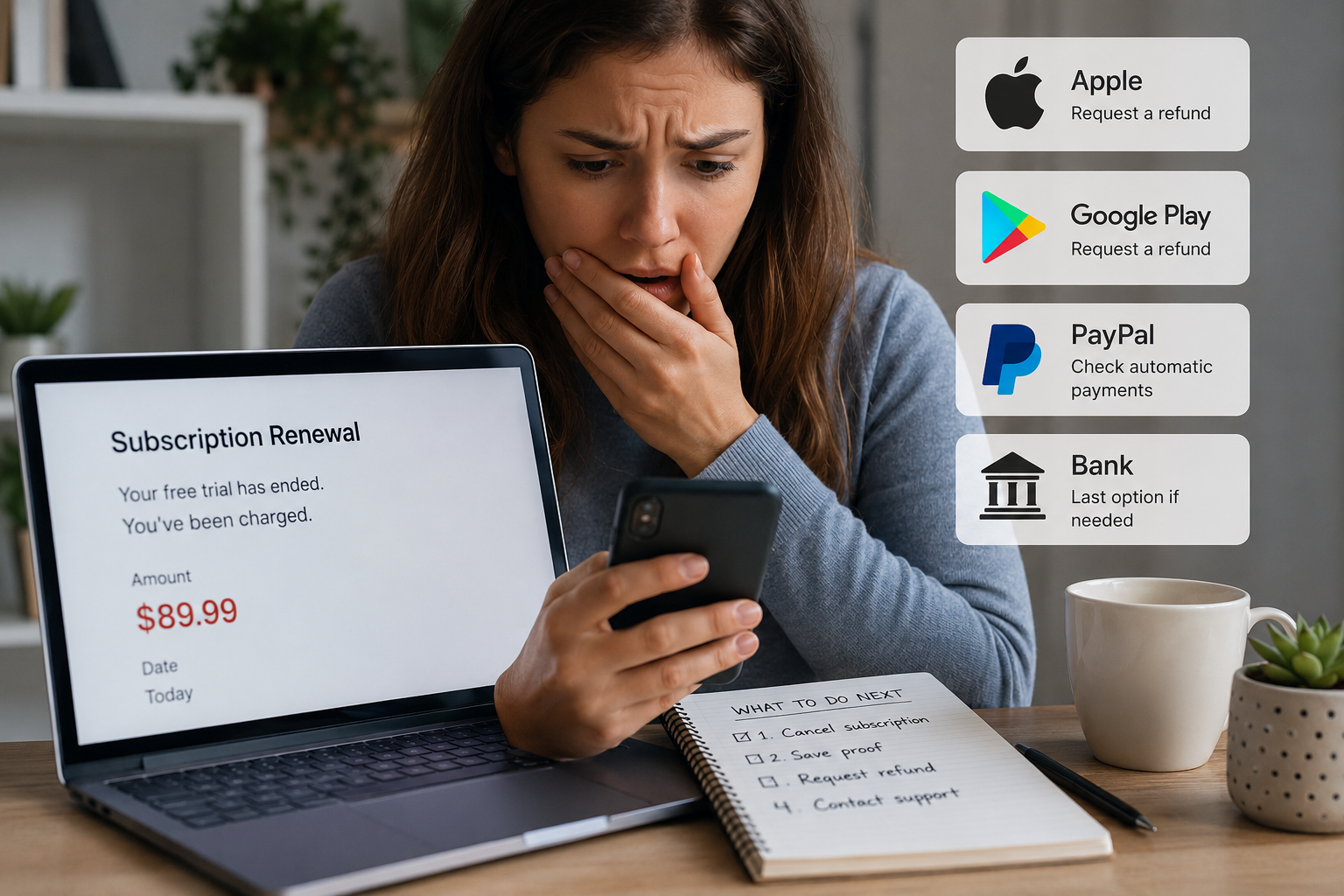
Take a screenshot of the charge and keep the account open for now. Then work through four separate jobs: stop the next renewal, find the billing owner, request the refund, and save the outcome.
1. Cancel the renewal now
Cancel even if you plan to ask for your money back. A refund request usually does not stop the subscription, and cancellation usually does not reverse the charge that already happened.
Look for an effective date or wording such as "expires on" or "renews on." Save that screen and the confirmation email. If there is no cancel button, check whether the receipt says Apple, Google Play, PayPal, or another billing provider; the subscription may need to be canceled there.
2. Find out who actually billed you
The correct refund desk is determined by the payment route, not necessarily by the app or service name.
- Apple: use Apple purchase history and Apple's refund request route.
- Google Play: use the matching Google account, Play order history, and Google's refund flow.
- PayPal: inspect the transaction and automatic-payment record; the merchant may still decide the refund.
- Direct card billing: use the company's official account or support page.
Check the receipt before contacting several companies. Sending the same request everywhere often creates confusion rather than speed.
3. Send a short refund request
Refunds are not automatic. Trial terms, local law, timing, product type, and the billing platform's rules all matter. Still, a prompt request with enough detail is easier to review than a long emotional message.
You can adapt this:
Hello, I was charged [amount] on [date] after the free trial for [plan]. I canceled the renewal on [date]. I did not intend to continue the paid subscription and have included the receipt/order number. Please review whether this charge is eligible for a refund and confirm the decision in writing. Thank you.
Add the account email and order number through the company's secure channel. Do not send a full card number, password, or one-time code.
If Apple billed you
Open Apple's official "Report a Problem" route while signed in to the Apple Account used for the purchase. If another family member made the purchase, check family purchase sharing. Apple controls the refund decision for Apple-billed subscriptions.
If Google Play billed you
Check each Google account on the device. Open the order in Google Play and use the available refund or problem-reporting option. Eligibility can depend on timing and the type of purchase.
If the company billed you directly
Use its official support form and attach the receipt, cancellation confirmation, and dates. Ask for a written decision and a case number. If the policy is unclear, ask support to point to the term used for the decision.
4. Build a tiny evidence folder
Keep one folder or email label containing:
- The original trial offer or signup email, if available.
- The renewal receipt and statement charge.
- The cancellation screen and effective date.
- Your refund request and case number.
- The company's answer and any promised processing time.
This is useful if the refund is delayed or if you later need to explain the timeline to your payment provider.
What if you never received a reminder?
Say so accurately in the refund request and search spam before making the claim. Whether a reminder was required depends on the terms and applicable law. A missing reminder can be relevant evidence, but it is not a universal promise of a refund.
When the company says no
Read the reason before replying. If the company misunderstood the date, account, or billing route, send one concise appeal with the missing evidence. Repeating the same message without new information rarely helps.
If the charge was genuinely unauthorized, or the company charged you after a documented cancellation, contact your bank or card issuer promptly and ask about its dispute process and deadlines. If you knowingly started the trial and simply missed the date, describe that honestly; do not label a recognized purchase as fraud.
Common mistakes that cost time
- Deleting the app: uninstalling normally does not cancel billing.
- Deleting the account too early: you may lose receipts, settings, and support access.
- Assuming a refund cancels the plan: verify both actions separately.
- Waiting for the next charge: cancel now and record the effective date.
- Using unofficial support numbers: open the company or platform directly.
A better setup for the next trial
At signup, save the price after the trial, the billing owner, and the exact renewal date. Put two reminders on your calendar - one a week before and another 48 hours before renewal. The point is not to avoid every trial; it is to make the decision while you still have time.
Comments (0)
No published comments yet. Start a useful, respectful discussion.